
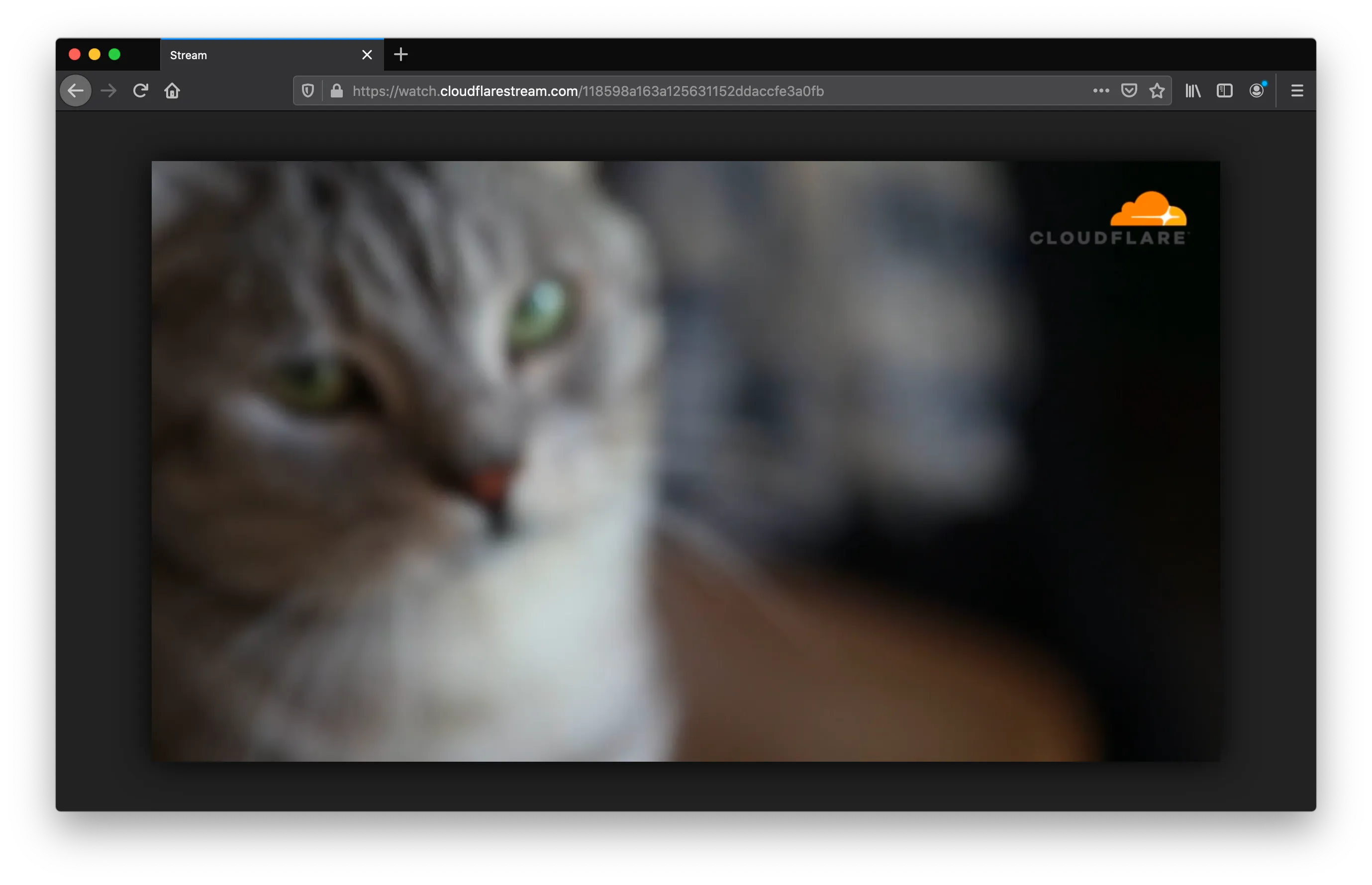
您可以使用 Stream API 为上传的视频添加水印。
要为视频添加水印,首先创建水印配置文件。水印配置文件描述要用作水印的图像及其位置。创建水印配置文件后,可以在上传视频时将其作为选项使用。
水印配置文件有许多可自定义选项。但是,默认参数在大多数情况下通常适用。更多详情请参阅下方的「配置文件」。
curl -X POST -H 'Authorization: Bearer <API_TOKEN>' \
-F file=@/Users/rchen/cloudflare.png \
https://api.cloudflare.com/client/v4/accounts/<ACCOUNT_ID>/stream/watermarks
const client = new Cloudflare({
apiEmail: process.env['CLOUDFLARE_EMAIL'],
apiKey: process.env['CLOUDFLARE_API_KEY'],
});
const watermark = await client.stream.watermarks.create({
account_id: '<ACCOUNT_ID>',
file: '@/path/to/image.png',
name: 'marketing videos',
});请参阅完整的 Stream REST API 和 SDK 参考,了解如何从外部应用程序使用 REST API,以及适用于外部 TypeScript、Python 或 Go 应用的预生成 SDK。
export default {
	async fetch(request, env, ctx): Promise<Response> {
		const response = await fetch("https://example.com/cloudflare.png");
		const readableStream = response.body!;
		const watermark = await env.STREAM.watermarks.generate(readableStream, {
			name: "marketing videos",
		});
		return new Response(JSON.stringify({ watermark }));
	},
} satisfies ExportedHandler<{ STREAM: StreamBinding }>;
{
"$schema": "node_modules/wrangler/config-schema.json",
"name": "<ENTER_WORKER_NAME>",
"main": "src/index.ts",
"compatibility_date": "$today",
"observability": {
"enabled": true
},
"stream": {
"binding": "STREAM"
}
}请参阅完整的 Workers Stream 绑定 API 参考。
tus-upload --chunk-size 5242880 \
--header Authentication 'Bearer <API_TOKEN>' \
--metadata watermark <WATERMARK_UID> \
/Users/rchen/cat.mp4 https://api.cloudflare.com/client/v4/accounts/<ACCOUNT_ID>/stream
const client = new Cloudflare({
apiEmail: process.env['CLOUDFLARE_EMAIL'],
apiKey: process.env['CLOUDFLARE_API_KEY'],
});
const video = await client.stream.copy.create({
account_id: '<ACCOUNT_ID>',
url: 'https://example.com/video.mp4',
watermark: { uid: '<WATERMARK_UID>' },
});请参阅完整的 Stream REST API 和 SDK 参考,了解如何从外部应用程序使用 REST API,以及适用于外部 TypeScript、Python 或 Go 应用的预生成 SDK。
export default {
	async fetch(request, env, ctx): Promise<Response> {
		const video = await env.STREAM.upload(
			"https://example.com/video.mp4",
			{ watermarkId: "<WATERMARK_UID>" },
		);
		return new Response(JSON.stringify({ video }));
	},
} satisfies ExportedHandler<{ STREAM: StreamBinding }>;
{
"$schema": "node_modules/wrangler/config-schema.json",
"name": "<ENTER_WORKER_NAME>",
"main": "src/index.ts",
"compatibility_date": "$today",
"observability": {
"enabled": true
},
"stream": {
"binding": "STREAM"
}
}请参阅完整的 Workers Stream 绑定 API 参考。
要创建、列出、删除或获取配置文件信息,您需要 Cloudflare API token ↗.
-
namestring 默认值:空字符串- 配置文件的简短描述。例如「marketing videos」。
-
opacityfloat 默认值:1.0- 水印的透明度。0.0 表示完全透明,1.0 表示完全不透明。请注意,如果水印本身已是半透明,将其设为 1.0 不会使其完全不透明。
-
paddingfloat 默认值:0.05-
相邻边缘(由
position决定)与视频和水印之间的空白。0.0 表示无内边距,1.0 表示内边距为完整视频宽度或长度。 -
Stream 将确保水印在不同尺寸的视频中保持大致相同的位置。
-
-
scalefloat 默认值:0.15-
水印相对于视频整体大小的大小。此参数会自动适应横屏和竖屏视频。0.0 表示不缩放(使用水印原始大小),1.0 表示填满整个视频。
-
算法将确保水印在不同尺寸的视频中看起来大小大致相同。
-
-
positionstring(枚举)默认值:"upperRight"-
水印位置。有效位置:
upperRight、upperLeft、lowerLeft、lowerRight和center。
-
要直接上传图像,请使用 multipart/form-data 作为 content-type 发送 POST 请求,并在 file 键下指定文件。所有其他字段均为可选。
curl -X POST -H "Authorization: Bearer <API_TOKEN>" \
-F file=@{path-to-image-locally} \
-F name='marketing videos' \
-F opacity=1.0 \
-F padding=0.05 \
-F scale=0.15 \
-F position=upperRight \
https://api.cloudflare.com/client/v4/accounts/<ACCOUNT_ID>/stream/watermarks
const client = new Cloudflare({
apiEmail: process.env['CLOUDFLARE_EMAIL'],
apiKey: process.env['CLOUDFLARE_API_KEY'],
});
const watermark = await client.stream.watermarks.create({
account_id: '<ACCOUNT_ID>',
file: '@/path/to/image.png',
name: 'marketing videos',
opacity: 1.0,
padding: 0.05,
scale: 0.15,
position: 'upperRight',
});请参阅完整的 Stream REST API 和 SDK 参考,了解如何从外部应用程序使用 REST API,以及适用于外部 TypeScript、Python 或 Go 应用的预生成 SDK。
export default {
	async fetch(request, env, ctx): Promise<Response> {
		const response = await fetch("https://example.com/cloudflare.png");
		const readableStream = response.body!;
		const watermark = await env.STREAM.watermarks.generate(readableStream, {
			name: "marketing videos",
			opacity: 1.0,
			padding: 0.05,
			scale: 0.15,
			position: "upperRight",
		});
		return new Response(JSON.stringify({ watermark }));
	},
} satisfies ExportedHandler<{ STREAM: StreamBinding }>;
{
"$schema": "node_modules/wrangler/config-schema.json",
"name": "<ENTER_WORKER_NAME>",
"main": "src/index.ts",
"compatibility_date": "$today",
"observability": {
"enabled": true
},
"stream": {
"binding": "STREAM"
}
}请参阅完整的 Workers Stream 绑定 API 参考。
要指定上传 URL,请使用 application/json 作为 content-type 发送 POST 请求,并使用 url 键指定文件位置。所有其他字段均为可选。
export default {
	async fetch(request, env, ctx): Promise<Response> {
		const watermark = await env.STREAM.watermarks.generate(
			"https://example.com/logo.png",
			{
				name: "marketing videos",
				opacity: 1.0,
				padding: 0.05,
				scale: 0.15,
				position: "upperRight",
			},
		);
		return new Response(JSON.stringify({ watermark }));
	},
} satisfies ExportedHandler<{ STREAM: StreamBinding }>;
{
"$schema": "node_modules/wrangler/config-schema.json",
"name": "<ENTER_WORKER_NAME>",
"main": "src/index.ts",
"compatibility_date": "$today",
"observability": {
"enabled": true
},
"stream": {
"binding": "STREAM"
}
}请参阅完整的 Workers Stream 绑定 API 参考。
curl -X POST -H "Authorization: Bearer <API_TOKEN>" \
-H 'Content-Type: application/json' \
-d '{
  "url": "{url-to-image}",
  "name": "marketing videos",
  "opacity": 1.0,
  "padding": 0.05,
  "scale": 0.15,
  "position": "upperRight"
}' \
https://api.cloudflare.com/client/v4/accounts/<ACCOUNT_ID>/stream/watermarks
const client = new Cloudflare({
apiEmail: process.env['CLOUDFLARE_EMAIL'],
apiKey: process.env['CLOUDFLARE_API_KEY'],
});
// The TypeScript SDK does not support URL-based watermark creation.
// Use the file-based approach instead:
const watermark = await client.stream.watermarks.create({
account_id: '<ACCOUNT_ID>',
file: '@/path/to/image.png',
name: 'marketing videos',
opacity: 1.0,
padding: 0.05,
scale: 0.15,
position: 'upperRight',
});请参阅完整的 Stream REST API 和 SDK 参考,了解如何从外部应用程序使用 REST API,以及适用于外部 TypeScript、Python 或 Go 应用的预生成 SDK。
{
  "result": {
    "uid": "d6373709b7681caa6c48ef2d8c73690d",
    "size": 11248,
    "height": 240,
    "width": 720,
    "created": "2020-07-29T00:16:55.719265Z",
    "downloadedFrom": null,
    "name": "marketing videos",
    "opacity": 1.0,
    "padding": 0.05,
    "scale": 0.15,
    "position": "upperRight"
  },
  "success": true,
  "errors": [],
  "messages": []
}
如果配置文件是通过从 URL 下载创建的,downloadedFrom 将被填充。
创建水印配置文件后,现在可以在上传时使用该配置文件为视频添加水印。
遗憾的是,Stream 目前不支持在基本上传时指定水印配置文件。
export default {
	async fetch(request, env, ctx): Promise<Response> {
		const video = await env.STREAM.upload(
			"https://example.com/video.mp4",
			{ watermarkId: "<WATERMARK_UID>" },
		);
		return new Response(JSON.stringify({ video }));
	},
} satisfies ExportedHandler<{ STREAM: StreamBinding }>;
{
"$schema": "node_modules/wrangler/config-schema.json",
"name": "<ENTER_WORKER_NAME>",
"main": "src/index.ts",
"compatibility_date": "$today",
"observability": {
"enabled": true
},
"stream": {
"binding": "STREAM"
}
}请参阅完整的 Workers Stream 绑定 API 参考。
curl -X POST -H "Authorization: Bearer <API_TOKEN>" \
-H 'Content-Type: application/json' \
-d '{
  "url": "{url-to-video}",
  "watermark": {
    "uid": "<WATERMARK_UID>"
  }
}' \
https://api.cloudflare.com/client/v4/accounts/<ACCOUNT_ID>/stream/copy
const client = new Cloudflare({
apiEmail: process.env['CLOUDFLARE_EMAIL'],
apiKey: process.env['CLOUDFLARE_API_KEY'],
});
const video = await client.stream.copy.create({
account_id: '<ACCOUNT_ID>',
url: 'https://example.com/video.mp4',
watermark: { uid: '<WATERMARK_UID>' },
});请参阅完整的 Stream REST API 和 SDK 参考,了解如何从外部应用程序使用 REST API,以及适用于外部 TypeScript、Python 或 Go 应用的预生成 SDK。
{
  "result": {
    "uid": "8d3a5b80e7437047a0fb2761e0f7a645",
    "thumbnail": "https://customer-f33zs165nr7gyfy4.cloudflarestream.com/6b9e68b07dfee8cc2d116e4c51d6a957/thumbnails/thumbnail.jpg",

    "playback": {
      "hls": "https://customer-f33zs165nr7gyfy4.cloudflarestream.com/6b9e68b07dfee8cc2d116e4c51d6a957/manifest/video.m3u8",
      "dash": "https://customer-f33zs165nr7gyfy4.cloudflarestream.com/6b9e68b07dfee8cc2d116e4c51d6a957/manifest/video.mpd"
    },
    "watermark": {
      "uid": "d6373709b7681caa6c48ef2d8c73690d",
      "size": 11248,
      "height": 240,
      "width": 720,
      "created": "2020-07-29T00:16:55.719265Z",
      "downloadedFrom": null,
      "name": "marketing videos",
      "opacity": 1.0,
      "padding": 0.05,
      "scale": 0.15,
      "position": "upperRight"
    }

}tus-upload --chunk-size 5242880 \
--header Authentication 'Bearer <API_TOKEN>' \
--metadata watermark <WATERMARK_UID> \
<PATH_TO_VIDEO> https://api.cloudflare.com/client/v4/accounts/<ACCOUNT_ID>/stream使用生成的一次性 URL 上传的视频将添加指定的水印配置文件。
export default {
	async fetch(request, env, ctx): Promise<Response> {
		const directUpload = await env.STREAM.createDirectUpload({
			maxDurationSeconds: 3600,
			watermark: { id: "<WATERMARK_UID>" },
		});
		return new Response(JSON.stringify({ directUpload }));
	},
} satisfies ExportedHandler<{ STREAM: StreamBinding }>;
{
"$schema": "node_modules/wrangler/config-schema.json",
"name": "<ENTER_WORKER_NAME>",
"main": "src/index.ts",
"compatibility_date": "$today",
"observability": {
"enabled": true
},
"stream": {
"binding": "STREAM"
}
}请参阅完整的 Workers Stream 绑定 API 参考。
curl -X POST -H "Authorization: Bearer <API_TOKEN>" \
-H 'Content-Type: application/json' \
-d '{
  "maxDurationSeconds": 3600,
  "watermark": {
    "uid": "<WATERMARK_UID>"
  }
}' \
https://api.cloudflare.com/client/v4/accounts/<ACCOUNT_ID>/stream/direct_upload
const client = new Cloudflare({
apiEmail: process.env['CLOUDFLARE_EMAIL'],
apiKey: process.env['CLOUDFLARE_API_KEY'],
});
const directUpload = await client.stream.directUpload.create({
account_id: '<ACCOUNT_ID>',
maxDurationSeconds: 3600,
watermark: { uid: '<WATERMARK_UID>' },
});请参阅完整的 Stream REST API 和 SDK 参考,了解如何从外部应用程序使用 REST API,以及适用于外部 TypeScript、Python 或 Go 应用的预生成 SDK。
{
  "result": {
    "uploadURL": "https://upload.videodelivery.net/c32d98dd671e4046a33183cd5b93682b",
    "uid": "c32d98dd671e4046a33183cd5b93682b",
    "watermark": {
      "uid": "d6373709b7681caa6c48ef2d8c73690d",
      "size": 11248,
      "height": 240,
      "width": 720,
      "created": "2020-07-29T00:16:55.719265Z",
      "downloadedFrom": null,
      "name": "marketing videos",
      "opacity": 1.0,
      "padding": 0.05,
      "scale": 0.15,
      "position": "upperRight"
    }
  },
  "success": true,
  "errors": [],
  "messages": []
}如果未指定水印,watermark 将为 null。
要查看您创建的水印配置文件:
export default {
	async fetch(request, env, ctx): Promise<Response> {
		const watermark = await env.STREAM.watermarks.get("<WATERMARK_UID>");
		return new Response(JSON.stringify({ watermark }));
	},
} satisfies ExportedHandler<{ STREAM: StreamBinding }>;
{
"$schema": "node_modules/wrangler/config-schema.json",
"name": "<ENTER_WORKER_NAME>",
"main": "src/index.ts",
"compatibility_date": "$today",
"observability": {
"enabled": true
},
"stream": {
"binding": "STREAM"
}
}请参阅完整的 Workers Stream 绑定 API 参考。
curl -H "Authorization: Bearer <API_TOKEN>" \
https://api.cloudflare.com/client/v4/accounts/<ACCOUNT_ID>/stream/watermarks/<WATERMARK_UID>
const client = new Cloudflare({
apiEmail: process.env['CLOUDFLARE_EMAIL'],
apiKey: process.env['CLOUDFLARE_API_KEY'],
});
const watermark = await client.stream.watermarks.get(
'<WATERMARK_UID>',
{ account_id: '<ACCOUNT_ID>' },
);请参阅完整的 Stream REST API 和 SDK 参考,了解如何从外部应用程序使用 REST API,以及适用于外部 TypeScript、Python 或 Go 应用的预生成 SDK。
{
  "result": {
    "uid": "d6373709b7681caa6c48ef2d8c73690d",
    "size": 11248,
    "height": 240,
    "width": 720,
    "created": "2020-07-29T00:16:55.719265Z",
    "downloadedFrom": null,
    "name": "marketing videos",
    "opacity": 1.0,
    "padding": 0.05,
    "scale": 0.15,
    "position": "center"
  },
  "success": true,
  "errors": [],
  "messages": []
}要列出您创建的水印配置文件:
export default {
	async fetch(request, env, ctx): Promise<Response> {
		const watermarks = await env.STREAM.watermarks.list();
		return new Response(JSON.stringify({ watermarks }));
	},
} satisfies ExportedHandler<{ STREAM: StreamBinding }>;
{
"$schema": "node_modules/wrangler/config-schema.json",
"name": "<ENTER_WORKER_NAME>",
"main": "src/index.ts",
"compatibility_date": "$today",
"observability": {
"enabled": true
},
"stream": {
"binding": "STREAM"
}
}请参阅完整的 Workers Stream 绑定 API 参考。
curl -H "Authorization: Bearer <API_TOKEN>" \
https://api.cloudflare.com/client/v4/accounts/<ACCOUNT_ID>/stream/watermarks/
const client = new Cloudflare({
apiEmail: process.env['CLOUDFLARE_EMAIL'],
apiKey: process.env['CLOUDFLARE_API_KEY'],
});
const watermarks = await client.stream.watermarks.list({
account_id: '<ACCOUNT_ID>',
});请参阅完整的 Stream REST API 和 SDK 参考,了解如何从外部应用程序使用 REST API,以及适用于外部 TypeScript、Python 或 Go 应用的预生成 SDK。
{
  "result": [
    {
      "uid": "9de16afa676d64faaa7c6c4d5047e637",
      "size": 207710,
      "height": 626,
      "width": 1108,
      "created": "2020-07-29T00:23:35.918472Z",
      "downloadedFrom": null,
      "name": "marketing videos",
      "opacity": 1.0,
      "padding": 0.05,
      "scale": 0.15,
      "position": "upperLeft"
    },
    {
      "uid": "9c50cff5ab16c4aec0bcb03c44e28119",
      "size": 207710,
      "height": 626,
      "width": 1108,
      "created": "2020-07-29T00:16:46.735377Z",
      "downloadedFrom": "https://company.com/logo.png",
      "name": "internal training videos",
      "opacity": 1.0,
      "padding": 0.05,
      "scale": 0.15,
      "position": "center"
    }
  ],
  "success": true,
  "errors": [],
  "messages": []
}要删除您创建的水印配置文件:
export default {
	async fetch(request, env, ctx): Promise<Response> {
		await env.STREAM.watermarks.delete("<WATERMARK_UID>");
		return new Response(JSON.stringify({ success: true }));
	},
} satisfies ExportedHandler<{ STREAM: StreamBinding }>;
{
"$schema": "node_modules/wrangler/config-schema.json",
"name": "<ENTER_WORKER_NAME>",
"main": "src/index.ts",
"compatibility_date": "$today",
"observability": {
"enabled": true
},
"stream": {
"binding": "STREAM"
}
}请参阅完整的 Workers Stream 绑定 API 参考。
curl -X DELETE -H 'Authorization: Bearer <API_TOKEN>' \
https://api.cloudflare.com/client/v4/accounts/<ACCOUNT_ID>/stream/watermarks/<WATERMARK_UID>
const client = new Cloudflare({
apiEmail: process.env['CLOUDFLARE_EMAIL'],
apiKey: process.env['CLOUDFLARE_API_KEY'],
});
await client.stream.watermarks.delete(
'<WATERMARK_UID>',
{ account_id: '<ACCOUNT_ID>' },
);请参阅完整的 Stream REST API 和 SDK 参考,了解如何从外部应用程序使用 REST API,以及适用于外部 TypeScript、Python 或 Go 应用的预生成 SDK。
如果操作成功,将返回成功响应:
{
  "result": "",
  "success": true,
  "errors": [],
  "messages": []
}- 水印配置文件创建后,无法更改其参数。如需编辑水印配置文件,请删除并创建新的。
- 水印应用于视频后,无法在不重新上传视频以应用不同配置文件的情况下更改水印。
- 水印应用于视频后,删除水印配置文件不会从视频中移除水印。
- 最大文件大小为 2MiB(2097152 字节),仅支持 PNG 文件。