
Google Chat Pages Plugin 创建可响应消息的 Google Chat 机器人。它还包含用于与 Google Chat 交互的 API(例如创建消息),无需用户输入。此 API 适用于警报等场景。
npm i @cloudflare/pages-plugin-google-chatyarn add @cloudflare/pages-plugin-google-chatpnpm add @cloudflare/pages-plugin-google-chatbun add @cloudflare/pages-plugin-google-chatimport googleChatPlugin from "@cloudflare/pages-plugin-google-chat";
export const onRequest: PagesFunction = googleChatPlugin(async (message) => {
if (message.text.includes("ping")) {
return { text: "pong" };
}
return { text: "Sorry, I could not understand your message." };
});Plugin 接受一个函数,该函数接收传入消息并返回响应消息的 Promise(或 void 表示无响应)。
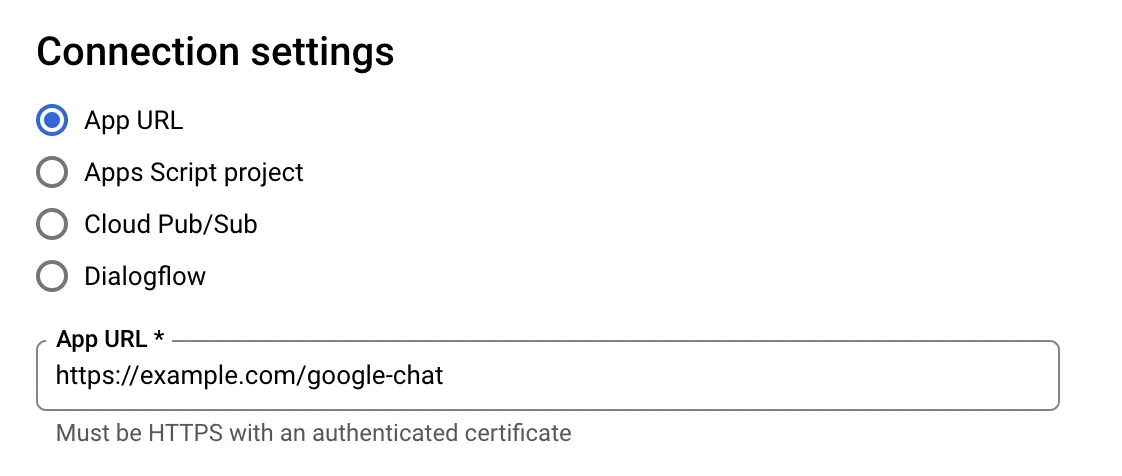
此插件 (Plugin) 仅公开一个路由,该路由是您在 Google Cloud Console 中创建机器人时应设置的 URL。
可以使用 GoogleChatAPI 类直接调用 Google Chat API:
import { GoogleChatAPI } from "@cloudflare/pages-plugin-google-chat/api";

export const onRequest: PagesFunction = () => {
	// 使用您服务账户的凭据初始化一个 GoogleChatAPI
	const googleChat = new GoogleChatAPI({
		credentials: {
			client_email: "SERVICE_ACCOUNT_EMAIL_ADDRESS",
			private_key: "SERVICE_ACCOUNT_PRIVATE_KEY",
		},
	});

	// 发送一条消息
	// https://developers.google.com/chat/api/reference/rest/v1/spaces.messages/create
	const message = await googleChat.createMessage(
		{ parent: "spaces/AAAAAAAAAAA" },
		undefined,
		{
			text: "I'm an alert!",
		},
	);

	return new Response("Alert sent.");
};
建议将服务账户凭据存储在 KV 中,而不是像上面那样以明文存储。
GoogleChatAPI 实例提供以下函数。如 Google Chat API 文档 ↗ 中所述,每个函数最多接受三个参数:路径参数对象、查询参数对象以及请求体对象。